Modder uses DLSS 5 and PS5 Remote Play to simulate 60 fps in GTA 6
Por Juca Aranha ·
Tool boosts GTA 6 frame rates on PC
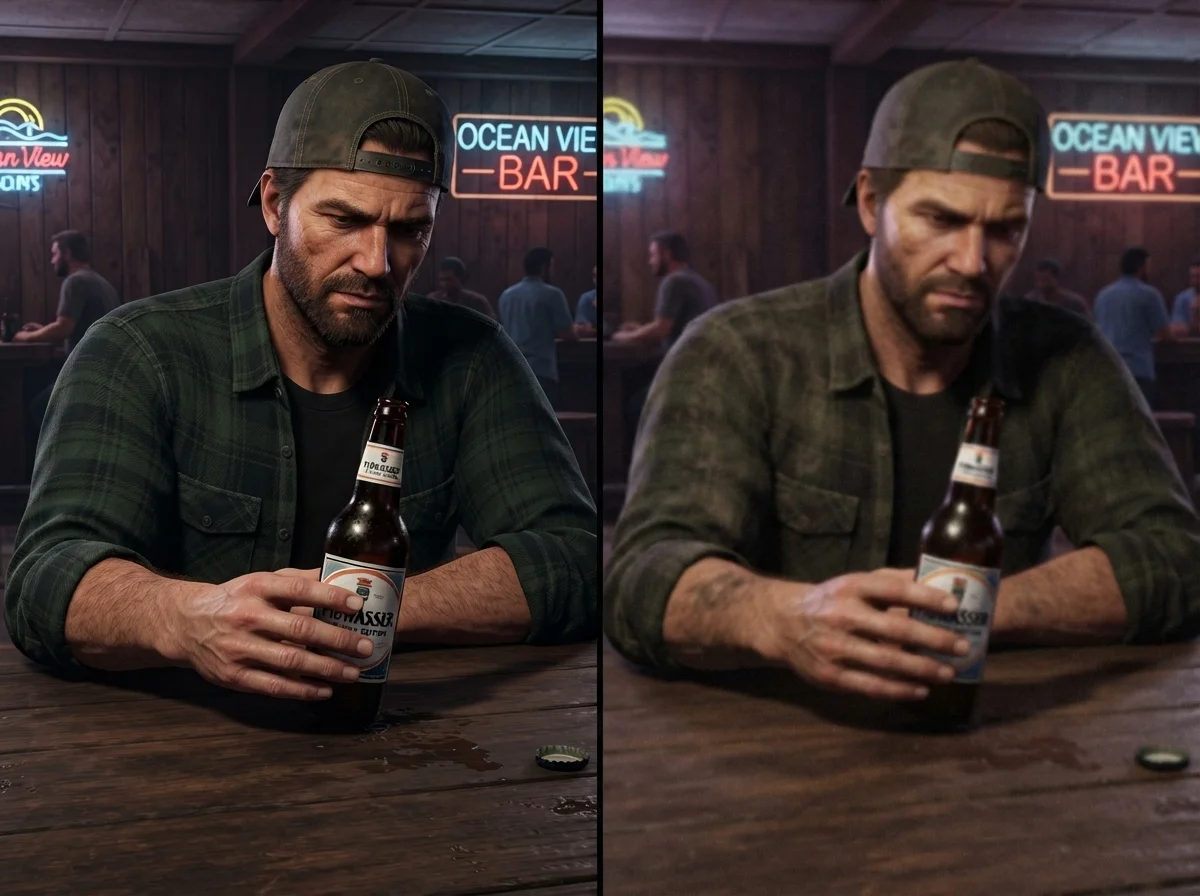
Modder Phosphen developed a system to display Grand Theft Auto VI with smoother performance on personal PCs. The technique uses the Veyra app integrated with the Remote Play service of PlayStation 5 consoles. This process allows the visuals to be viewed without running the original code directly on Windows.
The tests conducted by the developer utilize a GeForce RTX 5080 card to process the received visual data. The results show a jump from approximately 30 frames per second to about 59 frames per second. The gain is achieved through external processing performed by the PC hardware after receiving the signal via streaming.
Technical Operation via Frame Generation and AI
The modification applies DLSS 5 technology along with frame generation features during streaming. It resembles the SmoovPlay tool but incorporates extra neural rendering elements into real-world scenes. This solution focuses on improving the lighting and the technical details of scenes captured by the Sony platform.
This method does not require the use of capture cards or external physical components installed on the console. The author made an installer available on GitHub that automatically configures the parameters according to the available GPU for operation. All the heavy lifting happens outside the game console, only at the software and video level.
Technical limitations observed during testing
Artificially generated frames do not alter the immediate response to player commands within the graphics engine. Since the game remains originally running at 30 frames per second, latency issues may arise during fast combat. The presented results are still awaiting validation through independent tests conducted by end-users.
The developer suggests disabling specific functions when technical accuracy is needed during fast, real-time gameplay interactions. The current configuration acts as a visual layer on top of the stream provided by the official platforms. The final performance directly depends on the raw processing power delivered by the user's graphics units.
Recommended Specs and System Requirements
Interested users must use computers equipped with compatible GPUs from the latest NVIDIA series to operate the tool correctly. It is necessary to install the appropriate configuration package before starting any remote streaming session via Remote Play. Each hardware model requires distinct parameter settings, which can be found in the official file repository of the modder Phosphen.
The application focuses on visual fidelity, but it is not a native release or direct port for Windows systems right now. The software organizes the received data streams to optimize the textures and the ambient brightness captured by the PS5 camera. This technique serves as an alternative for those looking for greater graphical clarity via a stable network connection.